• January 2026 Turning Challenge: Turned and Bent! (click here for details)
  • Congratulations to Phil Hamel, People's Choice in the December 2025 Turning Challenge (click here for details)
  • Congratulations to David Wyke for "Maple Platter #567" being selected as Turning of the Week for January 5, 2026 (click here for details)
  • Welcome new registering member. Your username must be your real First and Last name (for example: John Doe). "Screen names" and "handles" are not allowed and your registration will be deleted if you don't use your real name. Also, do not use all caps nor all lower case.

Free Web-Based Design Utilities for Turners

Joined
Jan 3, 2006
Messages
55
Likes
415
Location
Kenmore, WA
Hi everyone,
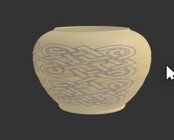
I have developed a set of browser-based utilities to help with the design phase of woodturning. They allow you to visualize artwork and profiles on a 3D form.
  • What it does: Converts a simple profile of a vessel into a 3D shape, shows the shape in 3D and then allows you to print artwork on panels that actually fit your vessel.
  • Cost: Free for all users and chapters.
  • Where to find it: https://lumencarver.art

Note: I have visualization images available on my site, but cannot post them here due to gallery restrictions on computer renderings.
 
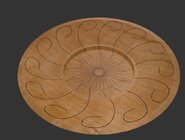
I updated the 3D Browser Visualizer and added a plate mode. This is a computer rendering of what a pattern from the plate designer tool might look like on a maple plate. See the utilities on our website in the member resources menu. Or go to lumencarver.art and click on the design utilities link.

maple plate in 3D Visualizer.jpg
 
I just created a new thread in the Woodturning Discussion Forum, "What’s in Your Digital Toolbelt? Software for Woodturning Design". Please let me know about the tools and techniques you are using.
I will monitor that thread and answer any questions I can. If I cannot answer maybe somebody else on the thread can jump in and help.
In particular if you are using my design utilities and find any issues or if you have any suggestions on how they could be improved, I'm all ears.
 
Joe, thanks for sharing your site and the resources available there as well as your work. It makes me more likely to take the step that I have thought about into this carving area. Much appreciated!
 
Always glad to see design aids since everything I do is on my CNC machines and designed before I cut. I use several CAD systems in design depending on the piece and the way I want to cut it.

Problem for me is none of my CAD systems can export in SVG. And I'm not interesting in learning Inkscape. Is there a possibility to use different file formats. Mostly I use DXF files to create 3D models in STL format.
 
Always glad to see design aids since everything I do is on my CNC machines and designed before I cut. I use several CAD systems in design depending on the piece and the way I want to cut it.

Problem for me is none of my CAD systems can export in SVG. And I'm not interesting in learning Inkscape. Is there a possibility to use different file formats. Mostly I use DXF files to create 3D models in STL format.
Doug,
Good question. I haven't really thought much about this topic.
I'm curious why you want to move from 3D (DXF and STL) to 2D (SVG). The utilities I created provide a low-tech method for woodturners to use 2D artwork on 3D objects. What do you plan to do with the 2D section of your 3D design? Would a raster format meet your requirments?
Joe
 
Back
Top