• The forum upgrades have been completed. These were moderate security fixes from our software vendor and it looks like everything is working well. If you see any problems please post in the Forum Technical Support forum or email us at forum_moderator (at) aawforum.org. Thank you
  • Congratulations to Bernie Hyrtzak, People's Choice in the January 2026 Turning Challenge (click here for details)
  • Congratulations to Matt Carvalho for "Red Mallee Folded Form" being selected as Turning of the Week for February 9, 2026 (click here for details)
  • AAW Symposium demonstrators announced - If the 2026 AAW International Woodturning Symposium is not on your calendar, now is the time to register. And there are discounts available if you sign up early, by Feb. 28. Early Bird pricing gives you the best rate for our 40th Anniversary Symposium in Raleigh, North Carolina, June 4–7, 2026. (There are discounts for AAW chapter members too) For more information vist the discussion thread here or the AAW registration page
  • Welcome new registering member. Your username must be your real First and Last name (for example: John Doe). "Screen names" and "handles" are not allowed and your registration will be deleted if you don't use your real name. Also, do not use all caps nor all lower case.

clicking on photos

john lucas

AAW Forum Expert
Joined
Apr 26, 2004
Messages
8,732
Likes
4,830
Location
Cookeville, TN
When I open a photo someone posts in the forum the only way I can get out of it is to click on back and that puts me back to the home page rather than back to the post. Can someone tell me how to just get back to the post. thanks.

 
Hey John,

Which browser are you using? On my end, clicking anywhere outside the picture frame makes it close. I don't see an x button to close it.
 
When I open a photo someone posts in the forum the only way I can get out of it is to click on back and that puts me back to the home page rather than back to the post. Can someone tell me how to just get back to the post. thanks.

On my end, clicking anywhere outside the picture frame makes it close. I don't see an x button to close it.

Pssst — don’t let anyone else know… There is an invisible X in the upper very far right of the photo popup just above the word “location” in the “Show in original location" link. To the immediate left of the invisble X there is an invisible “open in new window” link just above the end of the word “original”. (You can also do as Fadi said and click outside the frame to close it.) Open the attached file to “see” the invisibles — which are probably just white symbols on a white background.
 

Attachments

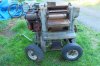
  • 6x13 Rockwell planer1.jpg
    6x13 Rockwell planer1.jpg
    50.6 KB · Views: 22
Last edited:
Owen, I'm not going to tell anyone either, but I found the invisibles.

It must be a conspiracy.
 
Back
Top