• The forum upgrades have been completed. These were moderate security fixes from our software vendor and it looks like everything is working well. If you see any problems please post in the Forum Technical Support forum or email us at forum_moderator (at) aawforum.org. Thank you
  • It's time to cast your vote in the March 2026 Turning Challenge. (click here for details)
  • Congratulations to Chris Lawrence for "Dragon's Grip" being selected as Turning of the Week for March 30, 2026 (click here for details)
  • Welcome new registering member. Your username must be your real First and Last name (for example: John Doe). "Screen names" and "handles" are not allowed and your registration will be deleted if you don't use your real name. Also, do not use all caps nor all lower case.

Monitor screen overlay

Joined
Jan 3, 2015
Messages
199
Likes
127
Location
Western Ma.
Wondering what everyone uses to cover the monitor screen when hollowing. Used the protected overlay when it was new, then tried stretch wrap but marker ink eventually does work itself thru onto the screen. Can you buy the overlay that now monitors come with? Got a link? Thanks for any help


Paul
 
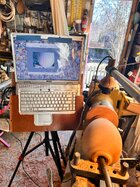
I just use 3 ring page slipcovers. I cut them open so it’s one ply, and use a piece of masking tape at the top edge to hold it over the monitor. My system has been “upgraded” to using a boroscope camera and an old iPad, but this is the only shot I’ve got of the overlay.
 

Attachments

  • IMG_4693.jpeg
    IMG_4693.jpeg
    1.1 MB · Views: 33
Thanks Lou I’ll give that a try! I checked your insta gram, you do a lot of hollow forms it looks. Very nice work!
Thanks Paul! I feel like I’m really still learning. And the fact is I mostly use the laser rather than the video system (this was recently discussed on another thread). I find it a bit easier to be looking at the form rather than away at a monitor. But that’s just personal preference.
 
There are all kinds of clear material in the school supply section of office supply places. I just cut it down to size ant tape it on.
 
So from the 5 suggestions here got me thinking, my wife’s been going thru mil’s old photo albums
Saving what she wants and trashing what she doesn’t. Well the clear sleeves that hold the pictures should work fine! Tried a sharpie on one color looks great but doesn’t wipe off, I’ll try some dry erase markers. Either way should a couple uses out of each if i move sheet around as needed. Think I’ll still try the plexiglass just to see if it alternates the view. Thanks everyone!


Paul
 
So from the 5 suggestions here got me thinking, my wife’s been going thru mil’s old photo albums
Saving what she wants and trashing what she doesn’t. Well the clear sleeves that hold the pictures should work fine! Tried a sharpie on one color looks great but doesn’t wipe off, I’ll try some dry erase markers. Either way should a couple uses out of each if i move sheet around as needed. Think I’ll still try the plexiglass just to see if it alternates the view. Thanks everyone!


Paul
You need to use dry erase markers
 
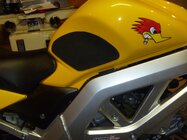
I always keep a roll of clear contact paper (shelf liner) material around. I used it for a number of years when I was manufacturing custom tank grips for different models of motorcycles. It's great for creating patterns, because it's self-stick adhesive keeps it in place without being too aggressively sticky. It's also clear, so you can see thru it well enough to see what's under it and Sharpie marks well on it. I had leftover aluminum coil from building my house, so I could stick the sketched pattern to it, cut out the aluminum, and have a thin template that I could flip for cutting mirrored left and right pads.

P1010123.JPG
 
So from the 5 suggestions here got me thinking, my wife’s been going thru mil’s old photo albums
Saving what she wants and trashing what she doesn’t. Well the clear sleeves that hold the pictures should work fine! Tried a sharpie on one color looks great but doesn’t wipe off, I’ll try some dry erase markers. Either way should a couple uses out of each if i move sheet around as needed. Think I’ll still try the plexiglass just to see if it alternates the view. Thanks everyone!


Paul
I use 'wet erase markers'. They work great on clear plastic. Wipes off clean with a slightly damp cloth.
 
I use 'wet erase markers'. They work great on clear plastic. Wipes off clean with a slightly damp cloth.
Wet erase markers is what Trent uses on the visualizer monitor - direct on the screen, wipe off with a damp cloth.
If I were still using the visualizer that way*, I'd have made little transparency squares for each tool with distances marked on them, and just tape those on the monitor each time rather than drawing on the screen. Not due to any damage to the screen, but just for convenience.

* I run my camera into the computer, and 'green screen' the tool overlay.
 
Wet erase markers is what Trent uses on the visualizer monitor - direct on the screen, wipe off with a damp cloth.
If I were still using the visualizer that way*, I'd have made little transparency squares for each tool with distances marked on them, and just tape those on the monitor each time rather than drawing on the screen. Not due to any damage to the screen, but just for convenience.

* I run my camera into the computer, and 'green screen' the tool overlay.
I saw someone on youtube do the tool “green screen” overlay. That would be ideal, but I’m not that computer savie. Plus I use an ipad, don’t know where to begin. Got some wet erase markers today.

Paul
 
Back
Top