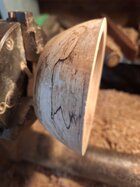
• December 2025 Turning Challenge: Single Tree! (click here for details)
  • Congratulations to Bob Henrickson, People's Choice in the November 2025 Turning Challenge (click here for details)
  • Congratulations to Dave Roberts for "Low Rider" being selected as Turning of the Week for December 1, 2025 (click here for details)
  • Welcome new registering member. Your username must be your real First and Last name (for example: John Doe). "Screen names" and "handles" are not allowed and your registration will be deleted if you don't use your real name. Also, do not use all caps nor all lower case.

Posting a photo flips the image

I ran into the same thing earlier today when I posted the ornament picture in the gallery. I deleted it, and then rotated it on my iphone. Then uploaded it again. That did not work. Deleted again. I then rotated it back to how the phone originally stored it, and it posted in the correct orientation. I'd not previously had this issue. *shrugs*
 
I ran into the same thing earlier today when I posted the ornament picture in the gallery. I deleted it, and then rotated it on my iphone. Then uploaded it again. That did not work. Deleted again. I then rotated it back to how the phone originally stored it, and it posted in the correct orientation. I'd not previously had this issue. *shrugs*
Hopefully it's just a temporary system hickup.
 
I've posted a couple of images and they got rotated 90° Is it something I'm doing or an issue with your end?


Various people have had this problem.
Without knowing the poster's process, it's hard to guess at just what is going on.

How are you posting, if from a phone, what type? If some other way, what? What is the image size (in pixels, both horizontal and vertical)

I think I've posted many 100s of photos here and on multiple other forums. I have never once had one mysteriously rotated by some poltergeist. I've never tried posting from a phone although I have posted many photos taken with the phone camera and with other cameras. (I refuse to access forums with the browser on a smartphone!)

What I do:
  • Copy the photo to a laptop or desktop computer by way of cable, card, or email.
  • Load the photo into some image editing software. I currently use Photoshop Elements.
  • Crop and edit as needed.
  • Reduce the image size (# of pixels) to something reasonable for posting on an internet forum.
  • (Sometimes I'll do the resizing and cropping on the phone itself then transfer to the computer to post. I use a Samsung android phone.)
  • Save as JPG in a folder on the computer.
  • Post the photo with any method - copy/paste, drag&drop, image upload menu.
  • Resize the image in the message thread as I see fit by clicking on the photo and dragging a corner. As loaded, it's usually still too big for visual comfort. Anyone viewing can always click on the image to view it in a larger size.
I've done this so many times it's 2nd nature and very quick.

Moderating on a few other forums, I've even uploaded pictures for people who had great content but consistent problems. I fixed and posted dozens of photos for a gentleman who did such amazing carving but had so many problems he was about to quit the forum! I would have hated to see him go.

Based on experience, I'm not sure the unwanted rotation is a forum bug, but who knows. With more info, perhaps a solution is simple.

JKJ
 
Various people have had this problem.
Without knowing the poster's process, it's hard to guess at just what is going on.

How are you posting, if from a phone, what type? If some other way, what? What is the image size (in pixels, both horizontal and vertical)

I think I've posted many 100s of photos here and on multiple other forums. I have never once had one mysteriously rotated by some poltergeist. I've never tried posting from a phone although I have posted many photos taken with the phone camera and with other cameras. (I refuse to access forums with the browser on a smartphone!)

What I do:
  • Copy the photo to a laptop or desktop computer by way of cable, card, or email.
  • Load the photo into some image editing software. I currently use Photoshop Elements.
  • Crop and edit as needed.
  • Reduce the image size (# of pixels) to something reasonable for posting on an internet forum.
  • (Sometimes I'll do the resizing and cropping on the phone itself then transfer to the computer to post. I use a Samsung android phone.)
  • Save as JPG in a folder on the computer.
  • Post the photo with any method - copy/paste, drag&drop, image upload menu.
  • Resize the image in the message thread as I see fit by clicking on the photo and dragging a corner. As loaded, it's usually still too big for visual comfort. Anyone viewing can always click on the image to view it in a larger size.
I've done this so many times it's 2nd nature and very quick.

Moderating on a few other forums, I've even uploaded pictures for people who had great content but consistent problems. I fixed and posted dozens of photos for a gentleman who did such amazing carving but had so many problems he was about to quit the forum! I would have hated to see him go.

Based on experience, I'm not sure the unwanted rotation is a forum bug, but who knows. With more info, perhaps a solution is simple.

JKJ
No offense, but if had to go through your "simple" process, I'd never upload anything. :D My experience today was the first time I ran into a picture rotating in an unwanted way - turned out to be a simple fix, albeit mysterious.

 
It's what I said in my first post. I rotated the image on my phone. saved it. then rotated it back. Saved it. that worked. Assumed something odd about that particular image, as this has not happened previously.
 
I think most phones these days store photos with EXIF metadata saying how the phone was rotated. Something about making the storage more efficient and the metadata tells things how to display it. But not everything respects that metadata.
Editing the image as John or Kirk have done likely resets the metadata so "up is up". My phone takes photos at larger than the suggested limit for the gallery, so I always re-size them before posting - likely why I don't have this problem.
More info from the google.
 
I tend to suspect it is in the meta data on the photo concerning aspect ratio of the image - typically a 5x7 (WxH) image might show on a cell phone "long edge vertical" but stored as "long edge horizontal" - *I think* - I'm no tech geek but I know enough about photo uploading on forum software/ servers to recall some of that is involved in the software.. but as I also don't directly upload photos (I don't use phone to access web anything, pretty much) all my photos are stored to Google Drive and to post them here I download them to desktop and then upload , so I suspect it is the storage format that makes a difference..
 
No offense, but if had to go through your "simple" process, I'd never upload anything. :D My experience today was the first time I ran into a picture rotating in an unwanted way - turned out to be a simple fix, albeit mysterious.


@Kirk Amidon No offense taken. I wasn't clear. The process I use is not to prevent rotation. The fact that I have never had any unexpected rotaton on ANY forum suggests to me that something in the process I use is preventing the rotation problem. Since I'm curious about such things, the question to me is what.

I, like others suggested, have long suspected the answer is in the metadata. That's why I asked for details on how David uploaded his photo. I'm collecting other info and hope to see if this is a likely culprit. Editing the photo in Photoshop likely changes the metadata.

The process is one I always use to prepare a photo for posting in a message, email, etc., to save storage space, upload resources, and make what I think are more readable message. I've been editing photos like this for decades for my work, etc, so much that if I know the pixel resolution I can almost do it all without looking at the screen (I use keyboard shortcuts for most functions. (I would have to look at the screen to enter a meaningful name for every photo before saving it without that I'd have a chaotic mess in my photo directories.)

I've got some sample photos to experiment with now. I can read the metadata and have software that can compare the binary data. (The first thing I noticed was, as expected: loading a sample file into Photoshop and saving it without any editing deletes ALL the camera data and the orientation data field and swaps the image width and length fields.)

I may not get to this right away. For now, what I might do if posting an unedited photo (especially from a phone) and if it's magically rotated, use the Edit feature to immediately delete the photo, rotate it on the device, then upload it again and see if that works. Maybe in some future forum update they might add a "rotate photo" button.

JKJ
 
In response, I took the photo with my Samsung phone camera. I then came to this site, hit the attach files button. It then gave me the choice of which phone app I wanted to use, which I thought was kind of odd. Usually the system I am in does that. I selected the files to upload, hit "done", and the images were uploaded 90° off. I've never experienced this on any other site so I am very curious to find out what happened. I thank all of you for your efforts
 
Don't know what the blue is, but the image uploaded properly.

Hmm seems to be the difference is in the forum's software.. Unless I miss my guess the forum "insert image" thing is a plug-in library that many web developers use (Ive been out of the business too long so I forgot the name of the library, but 20 years ago I could have coded it in a few minutes without a thought..) and I believe it uses php's image manipulation extension (As above, I forget the actual name of the extension), which actually alters the image meta data - While the file upload (via attach files) does not process the image through any image manipulation (Since attach files can also attach other file types) so I'd be willing to be that's what is happening.... so we know why (hopefully) it does that for some folks , and at least one way to work around it (via insert image) ...
 
Happened to me as well when i posted something in the gallery the first time, tried a couple different things which didn't work. Posted it, it was sideways, then there's an edit image option that let me rotate it right side up. Have had that happen on other forums as well, all posting from my phone.
 
Let me try. I usually take pictures in landscape mode, so maybe portrait might do something different.
 

Attachments

  • 20251008_120437.jpg
    20251008_120437.jpg
    307.1 KB · Views: 7
  • 20250912_192833.jpg
    20250912_192833.jpg
    375.8 KB · Views: 7
Just what I thought. If you take photos with a phone in portrait mode, it will post them rotated 90 degrees. If they are take in landscape mode( normal orientation for a proper camera) then it looks correct.
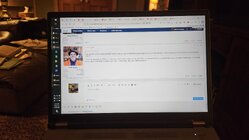
 
Just what I thought. If you take photos with a phone in portrait mode, it will post them rotated 90 degrees. If they are take in landscape mode( normal orientation for a proper camera) then it looks correct.

Cool! Guess I learned something.. I checked my phone camera looking for that sort of thing, and discovered that mine (pixel 8 pro) seems to default to landscape mode when doing "photos" with option to switch to portrait ... must be why I never noticed that difference...
 
Image rotation test - results indicate using the "Attach files" method may be suspect.
See TEST B and TEST C below.

(Notes to self)
Two photos from Samsung Galaxy S23, Android version 16
One with vertical (portrait) and one with horizontal (landscape) physical orientation.

TEST A (images not shown - posted then deleted to allow for further uploads)
Two test photos: one with camera held horizontally, the other vertically.
I don't see any camera settings on my phone that affect orientation. Google indicates some phone cameras have different options.

These image files emailed from camera, opened on laptop, then copied/pasted to this message.
RESULT: Both images were displayed with proper orientation, then deleted.


TEST B
I then inserted the two images posted by "Insert image" icon method:
RESULT: Both images displayed with proper orientation.

20251206_084327.jpg
20251206_084333.jpg


TEST C
Then images posted by "Attach files" method.
RESULT: the vertical oriented images is displayed incorrectly.
Looks like the "Attach files" method may cause the rotation problem.

20251206_084327.jpg
20251206_084333.jpg

Of course, there may be other situations not yet tested!

Perhaps someone else could try to verify this - see if the rogue rotation also happens when images are uploaded directly from the phone instead of first downloaded to a computer. If done, please state the upload method and the type of phone (in case that matters). Software testing with a sample size of 1 is not ideal!

JKJ
 
Last edited:
An additional test with the David's original images.

This appears to verify the method of uploading might be a problem, at least for some photos from some sources.

More tests from others might help. If this is repeatable from various devices the solution may to simply avoid the "Attach files" method and always upload with the "Insert image" option or the "copy paste" method.

Using the Attach files method
1000001844.jpg 1000001845.jpg

Using the Insert image method
1000001844.jpg 1000001845.jpg

As indicated earlier, there's not enough data to say this is definitive: may be other situations.

JKJ
 
Last edited:
I used attach files. Uploaded directly from a Samsung phone.
 
Back
Top