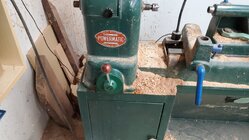
I've posted a couple of images and they got rotated 90° Is it something I'm doing or an issue with your end?


Hopefully it's just a temporary system hickup.I ran into the same thing earlier today when I posted the ornament picture in the gallery. I deleted it, and then rotated it on my iphone. Then uploaded it again. That did not work. Deleted again. I then rotated it back to how the phone originally stored it, and it posted in the correct orientation. I'd not previously had this issue. *shrugs*

I've posted a couple of images and they got rotated 90° Is it something I'm doing or an issue with your end?
No offense, but if had to go through your "simple" process, I'd never upload anything.Various people have had this problem.
Without knowing the poster's process, it's hard to guess at just what is going on.
How are you posting, if from a phone, what type? If some other way, what? What is the image size (in pixels, both horizontal and vertical)
I think I've posted many 100s of photos here and on multiple other forums. I have never once had one mysteriously rotated by some poltergeist. I've never tried posting from a phone although I have posted many photos taken with the phone camera and with other cameras. (I refuse to access forums with the browser on a smartphone!)
What I do:
I've done this so many times it's 2nd nature and very quick.
- Copy the photo to a laptop or desktop computer by way of cable, card, or email.
- Load the photo into some image editing software. I currently use Photoshop Elements.
- Crop and edit as needed.
- Reduce the image size (# of pixels) to something reasonable for posting on an internet forum.
- (Sometimes I'll do the resizing and cropping on the phone itself then transfer to the computer to post. I use a Samsung android phone.)
- Save as JPG in a folder on the computer.
- Post the photo with any method - copy/paste, drag&drop, image upload menu.
- Resize the image in the message thread as I see fit by clicking on the photo and dragging a corner. As loaded, it's usually still too big for visual comfort. Anyone viewing can always click on the image to view it in a larger size.
Moderating on a few other forums, I've even uploaded pictures for people who had great content but consistent problems. I fixed and posted dozens of photos for a gentleman who did such amazing carving but had so many problems he was about to quit the forum! I would have hated to see him go.
Based on experience, I'm not sure the unwanted rotation is a forum bug, but who knows. With more info, perhaps a solution is simple.
JKJ
 My experience today was the first time I ran into a picture rotating in an unwanted way - turned out to be a simple fix, albeit mysterious.


No offense, but if had to go through your "simple" process, I'd never upload anything.
came to this site, hit the attach files button
 seems like that works fine.
Hmm seems to be the difference is in the forum's software.. Unless I miss my guess the forum "insert image" thing is a plug-in library that many web developers use (Ive been out of the business too long so I forgot the name of the library, but 20 years ago I could have coded it in a few minutes without a thought..) and I believe it uses php's image manipulation extension (As above, I forget the actual name of the extension), which actually alters the image meta data - While the file upload (via attach files) does not process the image through any image manipulation (Since attach files can also attach other file types) so I'd be willing to be that's what is happening.... so we know why (hopefully) it does that for some folks , and at least one way to work around it (via insert image) ...Don't know what the blue is, but the image uploaded properly.

Cool! Guess I learned something.. I checked my phone camera looking for that sort of thing, and discovered that mine (pixel 8 pro) seems to default to landscape mode when doing "photos" with option to switch to portrait ... must be why I never noticed that difference...Just what I thought. If you take photos with a phone in portrait mode, it will post them rotated 90 degrees. If they are take in landscape mode( normal orientation for a proper camera) then it looks correct.
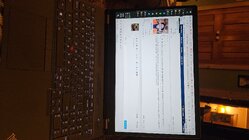

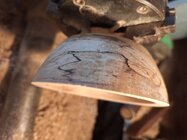

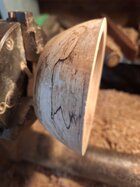
I used attach files. Uploaded directly from a Samsung phone.
YesDo you mean the photos in message #18?


I don't see an edit function for images?I simply used the edit function to do a trivial modification
I don't see an edit function for images?