• January 2026 Turning Challenge: Turned and Bent! (click here for details)
  • Congratulations to Phil Hamel, People's Choice in the December 2025 Turning Challenge (click here for details)
  • Congratulations to David Wyke for "Maple Platter #567" being selected as Turning of the Week for January 5, 2026 (click here for details)
  • Welcome new registering member. Your username must be your real First and Last name (for example: John Doe). "Screen names" and "handles" are not allowed and your registration will be deleted if you don't use your real name. Also, do not use all caps nor all lower case.

What’s in Your Digital Toolbelt? Software for Woodturning Design

Joined
Jan 3, 2006
Messages
57
Likes
415
Location
Kenmore, WA
While the heart of woodturning happens at the lathe, more of us are moving to the "digital bench" to plan out complex embellishments before the first chip even flies. Whether it’s mapping out a basketweave illusion, calculating segmented angles, or designing intricate piercing patterns for a hollow form, software has become a vital part of the modern turner's toolkit.

I’m curious to know what everyone is using to bridge the gap between a digital concept and a physical vessel.

I’ll start the conversation with a few categories I’ve been looking into:

  • Vector & Pattern Design: Tools like Adobe Illustrator, Inkscape, or Affinity Designer for creating repeatable patterns or masks for etching and piercing.
  • 3D Modeling: Using AI generated 3D tools like those found on lumencarver.art to visualize how a profile will look with surface textures applied in three dimensions.
  • Specialized Woodturning Apps: Dedicated tools like Segmented Project Planner or Woodturner Pro for those focused on constructional geometry.
I’d love to hear your thoughts on:
  1. What software (free or paid) do you find indispensable for your design process?
  2. How do you handle "wrapping" a 2D design onto a 3D curved surface like a bowl or spindle?
  3. Are there any hidden gems or non-traditional tools (like tablet sketching apps) that have changed how you work?

I'm looking forward hearing about the tools you are using or creating. I'd especially like to see any relevant images.
 
Here is a link to your tutorial in the Tutorials & Tips forum: Free Web-Based Design Utilities for Turners.

I have been using Deltacad to create full-size templates when creating a coiled basket illusion turning. Unfortunately, the software is no longer available, and the computer with the Deltacad software has gone belly up.
 
I use Sketchup, Woodturner Pro and Segmented Project Planner. Just depends on what I am wanting to lay out and do in the shop.
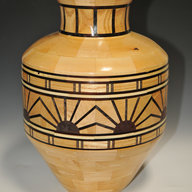
Your segmented vase is amazing! Makes me think about going over to the segmented side of the force.
I have used sketchup and wooturner pro. Both are great products and reasonably priced. Each one has a reasonable learning curve that many find acceptable.
I developed these free utilities to provide accessible tools that empower woodturners—regardless of their technical background—to leverage software in their creative process.
 
I sometimes use "LatheMagic"- https://www.shapemagic.com/lm/index.htm . Also the free version of Sketchup (Sketchup Make) with the plug in- "Quick Lathe" https://sketchucation.com/pluginstore?pln=Quick_Lathe
Lew,
I wasn't aware of LatheMagic. I'll have to look into it. It has been awhile since I looked into sketchup. The last time I checked, there was no free version.
Thanks for letting me know abou these.

Do you have any designs you could share? I'd love to see what you are using them for.
Joe
 
Here is a link to your tutorial in the Tutorials & Tips forum: Free Web-Based Design Utilities for Turners.

I have been using Deltacad to create full-size templates when creating a coiled basket illusion turning. Unfortunately, the software is no longer available, and the computer with the Deltacad software has gone belly up.
Sorry to hear about Deltacad. I've heard it had a clean and very intuitive user interface for 2D design work. I don't know enough about segmented turning to understand how it would help there. You must do the 3D visualization in your head?
 
This is interesting, although for my self I rely on my artistic ability to draw, such as it is. So my design and layout would be mechanical. This is further influenced by Art Nouveau and Asia i.e. Inchon ceramics from Korea and there is Japan and its culture. So this kinda puts me in the 'Old School' camp of pencil n paper
The other aspect is transference, getting the design onto the piece. I have played around with some of the software and no doubt seeing it listed here I will continue to play. But accurately transferring the design to the body of the piece is the challenge, As its highly unlikely I shall ever own a sophisticated 5th CNC. I flirted with the idea of NZ Paua veneer to the inside of open bowl and platters, it proved to be more of a challenge than I imagined.
 
This is interesting, although for my self I rely on my artistic ability to draw, such as it is. So my design and layout would be mechanical. This is further influenced by Art Nouveau and Asia i.e. Inchon ceramics from Korea and there is Japan and its culture. So this kinda puts me in the 'Old School' camp of pencil n paper
The other aspect is transference, getting the design onto the piece. I have played around with some of the software and no doubt seeing it listed here I will continue to play. But accurately transferring the design to the body of the piece is the challenge, As its highly unlikely I shall ever own a sophisticated 5th CNC. I flirted with the idea of NZ Paua veneer to the inside of open bowl and platters, it proved to be more of a challenge than I imagined.
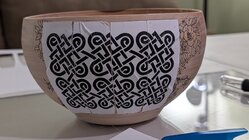
Did you check out the panel generator functions? Here is a 5 minute video that shows an overview of how to use my design utilities to create panels that map to an area of a vessel.
View: https://vimeo.com/1133244076

To simplify making the video, I used self adhesive labels. There are between ten and twelve ways to transfer artwork from paper to a vessel. Several of them are demonstrated on my vimeo channel and I am working on documenting some more. Let me know if you are interested in an overview of the transfer methods I have used. None of them are cut and paste, all involve hand drawing at least some of the artwork.
 
Sorry to hear about Deltacad. I've heard it had a clean and very intuitive user interface for 2D design work. I don't know enough about segmented turning to understand how it would help there. You must do the 3D visualization in your head?

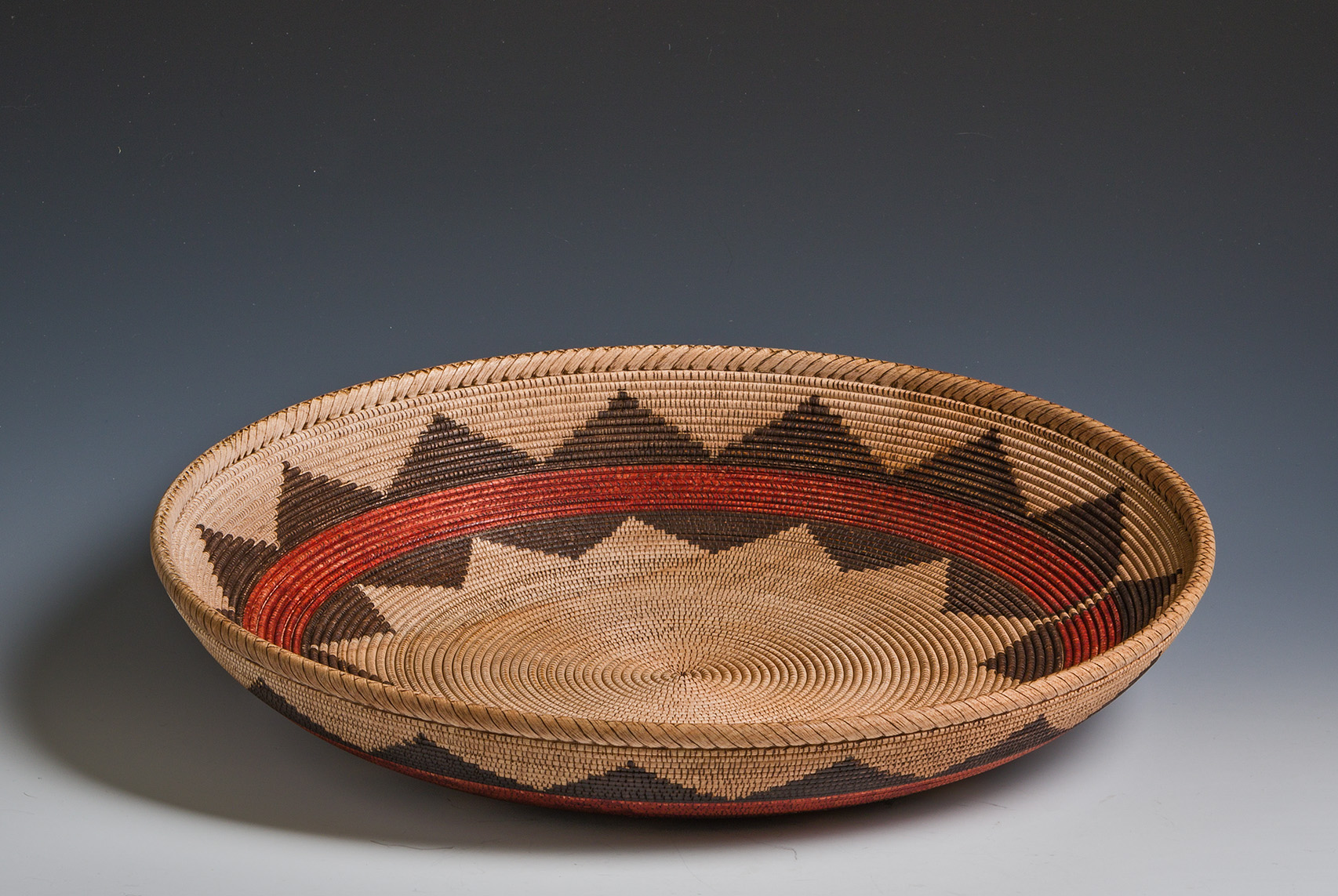
I don't do segmented turning. Here's an example of my coiled basket illusion turnings.

full
 
Back
Top